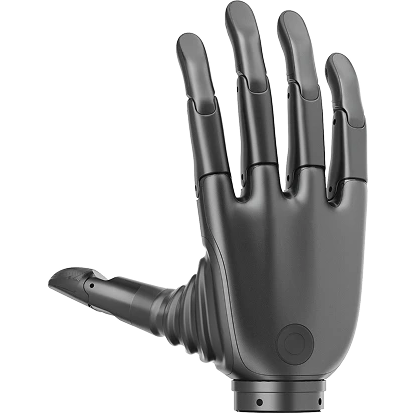
Download Center
This page collects development resources, simulation assets, and firmware packages for the Revo 2 dexterous hand.
Manuals & Desktop Tool
Access the Revo 2 physical specifications manual and the Windows desktop tool for testing and device monitoring.
GitHub Software Repos
Contains the Stark SDK and reference repositories for firmware maintenance, application integration, and custom gesture planning.
Descriptions & Simulation
Robot description packages for ROS 1, ROS 2, and MuJoCo simulation.
CAD Drawings & Flange Models
Flange hardware interface blueprints and 3D models to simplify physical integration with robotic arms.
⚠️ Flange Mounting & Integration Warning
Important: The screw hole depth for the wrist flange connection on the Revo 2 Pro and Touch editions is 3.5 mm. To prevent structural compression damage to the internal multi-layer PCB, ensure that mounting screws are inserted no deeper than 3 mm into the wrist end.
💾 Firmware Downloads
Please select the latest binary packages matching your dexterous hand hardware version:
1. Revo 2 Basic
⚠️ Basic Edition Protocol & Upgrade Guidance
- Interface Select: The Basic Edition toggles between CAN FD and RS-485 serial communication using the physical DIP switches situated below the wrist.
- Compatibility Limit: Firmware versions V0.0.14 and earlier cannot be flashed directly. Please contact our support team or submit a ticket to avoid device lockups.
2. Revo 2 Pro
- 📥 485 / CAN FD General Firmware_V1.0.22U
- 📥 EtherCAT / CAN FD General Wrist Plate Firmware_V1.0.0.P
- 📥 EtherCAT / CAN FD General Control Plate Firmware_V1.0.22F
3. Revo 2 Touch
- 📥 485 / CAN FD General Firmware_V1.0.22U
- 📥 EtherCAT / CAN FD General Wrist Plate Firmware_V1.0.0.F.1
- 📥 EtherCAT / CAN FD General Control Plate Firmware_V1.0.22F
⚠️ Pro & Touch Protocol Select
- Interface Toggling: Pro and Touch versions use the hardware DIP switches located under the wrist to select between EtherCAT and RS-485 Modbus RTU communication protocols.
- Firmware Safety: Due to onboard multi-axis tactile stream calculations, please verify hardware mappings with our technical engineers before executing a DFU upgrade.
4. Legacy CAN 2.0 Compatibility
📞 Contact for Support & Purchase
If you have any technical questions, integration questions, or customized/bulk purchase requirements, contact the BrainCo Dexterous Hand Technical Support Team, or submit a support ticket through the page help entry.